Headshot Lighting and 3 Styles of Portrait Editing
Check out this lighting setup I used for portraits recently. Using Lightroom, I created 3 different styles of image using the photos from 1 session.
Before I continue, I want you to know that Speedliter’s Blog is an Amazon Affiliate and I earn a commission from items you purchase from Amazon using the links in this blog. Thanks for using our links and supporting Speedliter’s Blog!
I love creating interesting portraits using speedlites and light modifiers. During this session I used 2 affordable brolly boxes to light my subject. I kept them close to my subject because I wanted a dark background. I used a Yongnuo YN-E3-RT radio flash trigger in the hot shote of my Canon 6D to control 2 Canon 600-EX-RT speedlites. The Canon 85mm 1.8 allowed me to get a tight headshot without crowding my subject.
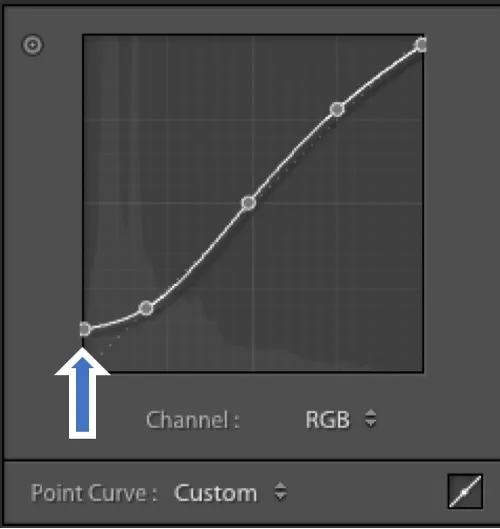
In this photo the subject is wearing his father’s old eyeglasses. To give the photo a vintage feel to match the glasses, I used a matte style. To accomplish a matte style you are basically taking the black out of the photo. You can do this using the tone curve in Lightroom and clicking and dragging the dark end (left side) up.
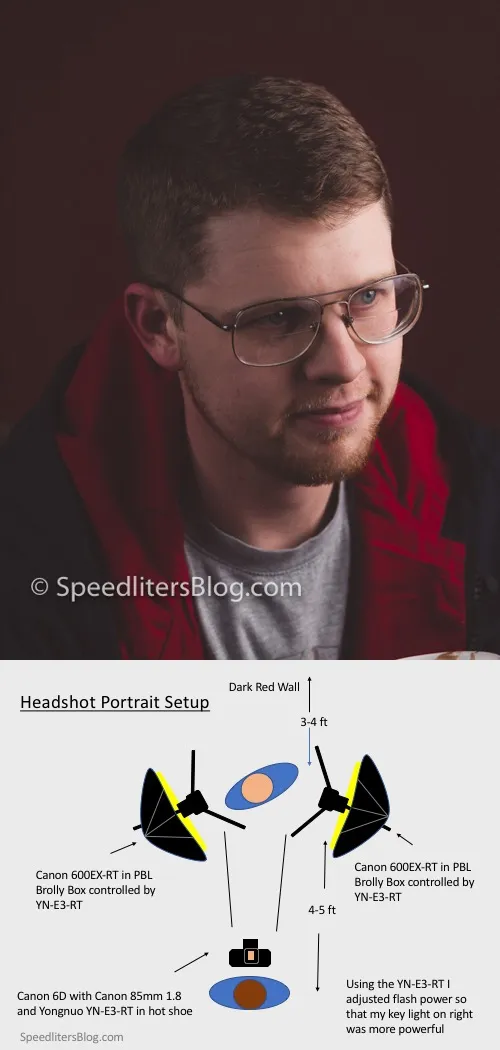
GEAR: Canon 6D, Canon 85mm 1.8, Yongnuo YN-E3-RT transmitter, Canon 600EX-RT (2 of them), Manfrotto 1004BAC light stands, 2 PBL 40” Umbrella Softboxes
SETTINGS: 1/125 sec at f/6.3, ISO 100
Here’s a screenshot of the adjusted Tone Curve of the photo above.
In this image, I kept the exposure lighter and I increased shadows and clarity in Lightroom to give it an HDR style look. There are also a lot of free Lightroom HDR presets if you search the internet.
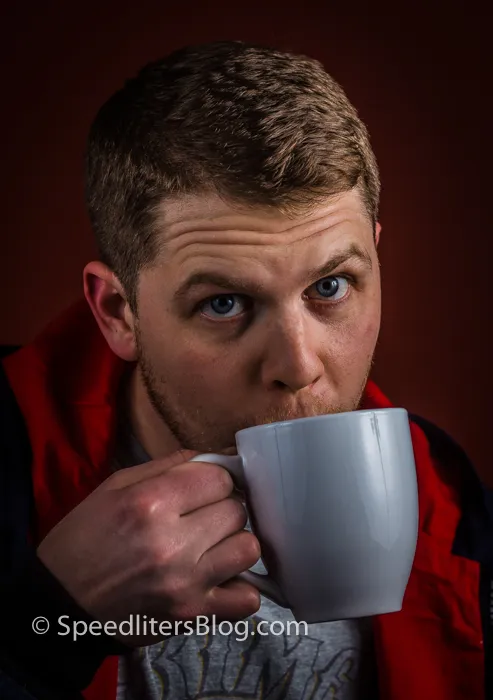
GEAR: Canon 6D, Canon 85mm 1.8, Yongnuo YN-E3-RT transmitter, Canon 600EX-RT (2 of them), Manfrotto 1004BAC light stands, 2 PBL 40” Umbrella Softboxes
SETTINGS: 1/125 sec at f/6.3, ISO 100
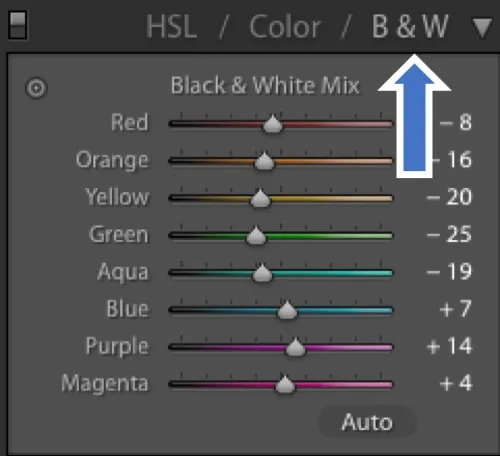
Black and white photos always look incredible to me. In the last image I changed the photo to black and white in Lightroom. You can do this by clicking the “B & W” option in the HSL panel. Try adjusting the individual colors to see how they affect your black and white image.
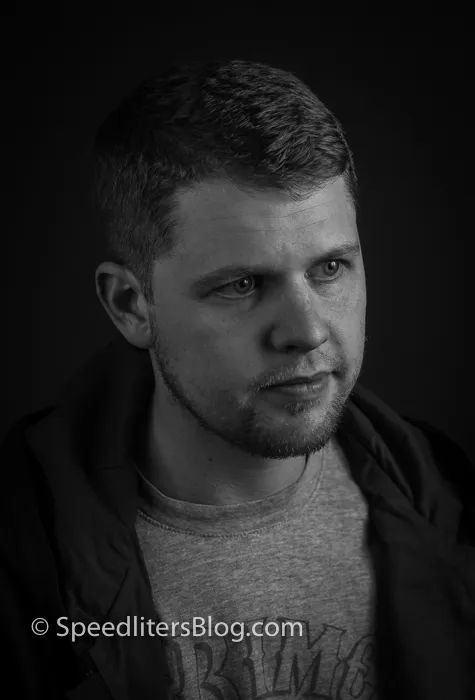
GEAR: Canon 6D, Canon 85mm 1.8, Yongnuo YN-E3-RT transmitter, Canon 600EX-RT (2 of them), Manfrotto 1004BAC light stands, 2 PBL 40” Umbrella Softboxes
SETTINGS: 1/125 sec at f/6.3, ISO 100
What questions do you have about the lighting setup or Lightroom edits?